Showing posts with label Jailbreak Information. Show all posts

Sunday, 24 January 2010

How To Install Shrink & Reduce Icon Sizes


Are you currently using a theme with Winterboard? Or five icon rows and dock? Ever wished you could make your icons smaller to improve the look of your springboard?

Well Shrink could be just what you've been waiting for! It allows you to change the size of your icons from 100%, down to 25% their original size, thats small. Its currently available in Cydia for $0.99, and is certainly worth buying, but if your not sure and would like to try it for free first, then follow these instructions.

It works great alongside the likes of Proswitcher / Overboard / Infinidock, to name just a few.


NOTES ;
a) Your device must be jailbroken
b) You must be running 3.1.2 firmware


INSTALLATION INSTRUCTIONS ;
1. Open Cydia and select ;
Manage / Sources / Edit / Add / Type in and install ;
repo.beyouriphone.com

2. Now select ;
Search / Type in and install ;
Shrink

3. Your device will need to respring

4. Now select ;
Settings / Shrink / Adjust the size of your icons / Respring device

5. Thats it, experiment and enjoy!

PLEASE REMEMBER TO PURCHASE APPS IF KEEPING, THIS SHOWS SUPPORT TO THE DEVS AND KEEPS THEM PRODUCING GREAT APPS LIKE THESE.

TREAT THESE CRACKED APPS AS FREE TRIALS ONLY.

Saturday, 23 January 2010

Apptrackr Is Live & Kicking

This is just a quick, and dare I say, late post! A couple of weeks ago we posted a blog on the demise of Appulous, and the rise of the new, improved, better, faster, Apptrackr!

Well Apptrackr is now live, its works exactly like Appulous, browse through pages of cracked apps, or search for a particular app, select, read through the description, then download if wanting.

So far I have to say Apptrackr is great, its a lot quicker and has the same app database, so go on, be a devil and give it a go ;


PLEASE REMEMBER TO PURCHASE APPS IF KEEPING, THIS SHOWS SUPPORT TO DEVS AND KEEPS THEM PRODUCING GREAT APPS.

TREAT THESE CRACKED APPS AS FREE TRIALS!

Friday, 22 January 2010

How To Jailbreak All Devices On 3.1.2 With Redsn0w 0.9

Jailbroken already? Using blackra1n? Or jailbreaking for the first time?
Well the Dev Team have just released redsn0w 0.9 public beta, their latest jailbreak tool which has been updated to suit all devices on 3.1.2 firmware, as well as a jailbreak tool, it installs Cydia and also gives you the option to add custom boot / recovery logos, this is what a lot of us have been waiting for, and a lot of users also prefer Dev Team jailbreaks because they claim its a cleaner, more complete jailbreak!

The only bad news, if you own an iPhone 3GS with new bootrom, or an iPod Touch late 2G or 3G, its still a tethered jailbreak only for you guys, fingers crossed this might be addressed in the future.


NOTES ;
a) You must be running 3.1.2 firmware on your device
b) You must download the following to your desktop before starting ;
Redsn0w 0.9 Windows / Mac
c) I would recommend you do a full restore in iTunes before jailbreaking


INSTALLATION INSTRUCTIONS ;
1. Connect your device to your pc via usb cable
( Close iTunes if it opensand cancel sync )

2 Run redsn0w

3. Browse for the firmware on your desktop

4. A message will now pop up, THIS IS IMPORTANT ;
If you are using an iphone 3gs with new bootrom, or an ipod touch 3g or late 2g, you must select YES, this is for a tethered jailbreak!
If you are running any other device, select NO, this is for an untethered jailbreak!

5. Select next

6. Now check the following boxes only ;
Cydia - This will install Cydia
Boot Logo - Browse for logo on your desktop if wanted
Recovery Logo - Browse for logo on your desktop if wanted

7. Select next

8. Your device now needs to go into recovery so ;
Hold down the power and home buttons, dont release them until the recovery logo is displayed on your device, redsn0w will now do its work

9. After a short while a message will pop up saying redsn0w has finished but will continue to work on your device, click finish

10. Now just wait for your device to re-boot in its new jailbroken glory, enjoy!

REMEMBER THIS IS A BETA SO REPORT ANY PROBLEMS TO MUSCLENERD OF THE DEV TEAM!

How To Change Boot Logos With Redsn0w 0.9

If like me your already jailbroken with blackra1n and your happy with your current set up, but would like to change your boot / recovery logos, then this is for you! The dev team have just released a public beta of reds0w 0.9 which allows you to do just that, without having to restore or re-jailbreak your device first, and it works great!


NOTES ;
a) Your device must be jailbroken
b) You must be running 3.1.2 firmware on your device
c) You must download the following to your desktop before starting ;
Redsn0w 0.9 Windows / Mac


INSTALLATION INSTRUCTIONS ;
1. Connect your device to your pc via usb cable
( Close iTunes if it opensand cancel sync )

2 Run redsn0w

3. Browse for the firmware on your desktop

4. A message will now pop up, THIS IS IMPORTANT ;
If you are using an iphone 3gs with new bootrom, or an ipod touch 3g or late 2g, you must select YES, this is for a tethered jailbreak!
If you are running any other device, select NO, this is for an untethered jailbreak!

5. Select next

6. Now check the following boxes only ;
Boot Logo - Browse for logo on your desktop
Recovery Logo - Browse for logo on your desktop
Already pwned - You dont want to re-jailbreak

7. Select next

8. Your device now needs to go into recovery so ;
Hold down the power and home buttons, dont release them until the recovery logo is displayed on your device, redsn0w will now do its work

9. After a short while a message will pop up saying redsn0w has finished but will continue to work on your device, click finish

10. Now just wait for your device to re-boot with its new logo, enjoy!

REMEMBER THIS IS A BETA SO MAKE SURE YOU REPORT ANY PROBLEMS TO MUSCLENERD OF THE DEV TEAM!

Wednesday, 13 January 2010

How To Install Infinidock


Infinidock was released into Cydia a few days ago by chpwn, one of the devs behind proswitcher and overboard, two other great apps.

It basically allows you to display up to ten icons on your dock, ( though this looks very cramped ), and scroll through an infinite amount of icons left and right on your dock, its another great way to add shortcuts to your favourite apps. I currently use infinidock, for all my social networking and mail apps etc, and it works fantastic alongside the fore mentioned proswitcher and overboard, give it a try and decide for yourselves.


NOTES ;
a) Your device must be jailbroken
b) You must be running the latest 3.1.2 firmware


INSTALLATION INSTRUCTIONS ;
1. Open Cydia and select ;
Manage / Sources / Edit / Add / Type in and install ;
repo.beyouriphone.com

2. Now select ;
Search / Type in and install ;
infinidock ( cracked by beyouriphone )

3. Your device will respring

4. On your springboard select ;
Settings / Infinidock
Adjust settings to suit yourself, eg; number of icons displayed etc

5. Now drag extra icons down into your dock, and arrange them in whatever way you like

6. Thats it, now scroll your dock right or left to use, enjoy!

PLEASE REMEMBER TO PURCHASE APPS IF KEEPING, THIS SHOWS SUPPORT TO THE DEVS AND KEEPS THEM PRODUCING GREAT APPS LIKE THESE!

UPDATE ;
Infinidock has just been updated today 13/01/2010, and this version is still available to try for free on the beyouriphone repo

Wednesday, 6 January 2010

Redsn0w 0.9 For 3.1.2 Firmware Imminent

Earlier today Musclenerd ( a member of the dev team ), tweeted that he had managed to retrieve the source code for Redsn0w, and is now re-writing redsn0w to make it compatible with 3.1.2 firmware, going by the picture below it looks like its in testing and should hopefully be released shortly for windows users, followed by macosx and linux, though no eta has been given as of yet.


The new version will be redsn0w 0.9, it will be a quick, easy jailbreak as in the past, but this time also has the option of adding custom boot logos which will please many of you out there. The bad news? It will still be a tethered jailbreak for new boot iphone 3gs / late ipod touch 2g / and ipod touch 3g, but for the rest of us, this is great news.

Stay tuned and as soon as its released we will post full jailbreak instructions!

How To Install GT Theme For Free

This will explain how to get the first version of the GT Theme for free. For more info on the theme check out our earlier blog.


NOTES;
a) Your device must be jailbroken
b) You must be running 3.1.2 firmware
c) You must have winterboard installed on your device


INSTALLATION INSTRUCTIONS;
1. Open Cydia and select;
Sources / Edit / Add / Type in and install ;
repo.beyouriphone.com

2. Now select;
Search / Type in and install;
GT Theme
Fontswap
GT Font

3. On springboard open Winterboard ( Activate GT Theme sections you want to run )
( Your device will respring )

4. On springboard open Fontswap ( Activate GT system and clock fonts )
( Your device will respring )

5. Thats it, enjoy!
If you need any help editing or creating new gt icons to finish your theme, or have any other questions about gt, hit us up, we are happy to help!

PLEASE REMEMBER TO PURCHASE THE THEME IF KEEPING, THIS SHOWS SUPPORT TO THE DEVS AND KEEPS THEM PRODUCING GREAT THEMES / APPS LIKE THIS!

UPDATE 1
GT Theme has now been updated to 1.1, more icons added and UI improved, its only $1:99 on the ModMyI repo in Cydia, trust me its worth it!

How To Install n64iphone Emulator


If you follow these instructions it will give you a working N64 emulator which you can add as many games to as you want, the 3gs will obviously run this smoother and more responsive but it does also work on all other devices. This latest version is also bluetooth compatible and can be played via a nintendo wii remote, and the overall look and feel of the emulator has also been improved with several updates already, credit to Zodttd.


NOTES ;
a) Your device must be jailbroken
b) You must be running 3.1.2 firmware
c) Must have ssh installed on your device
d) You must have winscp installed on your pc


INSTALLATION INSTRUCTIONS ;
1. Open Cydia and select ;
Manage / Sources / Edit / Add

2. Enter and install this repo ;
http://repo.beyouriphone.com

3. Once installed go to search and type in ;
n64iphone ( Cracked By beyouriphone Repo )
This will also automatically install ;
BTStack
SpringBoardAccess

4. Install this then exit Cydia / Your device might respring

5. The emulator will now be on your springboard but won't have any game roms included

6. To add more game roms you will need to download them to your pc and ssh them in
NOTE ;
You can now search for and download new roms from the emulator, just click search at top right, this will take you onto a google search safari page, try one of the links listed or try typing in and using the one listed below

7. On your pc go to ;

8. Scroll down the right hand column and select N64

9. Now search for any games you want and save them to your desktop, once downloaded your ready to ssh them in, they dont need to be unzipped!

10. Enable ssh on your device

11. Open winscp and login to your device

12. Now select ;
Back / Mobile / Media / Roms / N64

13. Now drag and drop your new roms into this file / copy

14. Exit winscp and disable ssh

15. Open n64iphone app and enjoy

PLEASE REMEMBER TO PURCHASE APPS IF KEEPING, THIS SHOWS SUPPORT TO THE DEVS AND KEEPS THEM PRODUCING GREAT APPS LIKE THIS!

This only costs $2:49 at the minute, its well worth it guys!

Tuesday, 5 January 2010

How To Install iRealSMS


This is a must have app for those of you out there you send and receive loads of text messages. It has loads of extra features that Apples standard message app lacks, send/reply to messages from within any other app or from the lockscreen, that includes picture messages! Use as your default message app, received messages include photo of senders ( if photo is added in contacts ), view received/sent/draft messages and also converstaions, emoji are also included. Overall this is an excellent app and will definately become your default, and no more closing down apps or games just to send a message anymore! You'll love it!


NOTES;
a) Your device must be jailbroken
b) You must be running 3.1.2 firmware
c) This is available via the BigBoss Repo and is a paid app at E9:99


INSTALLATION INSTRUCTIONS;
1. Open Cydia and select;
Search / Type in and install;
iRealSMS
( You are given a 10 day free trial period, so go on you have nothing to lose )

2. Your device might respring

3. On springboard select;
iRealSMS / Free Trial

4. Adjust settings to suit yourself, make default / enable lockscreen / enable quick reply and send / open gestures etc


After your 10 day trial you will need to enter payment details to continue using, by then though you wont mind!

Im sure this will become available free soon, though its such a great app its worth buying, the licence number you will receive will enable you to download all future updates free of charge.

How To Install HapticPro


HapticPro gives force feedback to your device everytime a button is pressed or an app is opened. I turn off my keyboard sounds and use this alone, it works great and gives your keyboard more feel.


NOTES;
a) Your device must be jailbroken
b) You must be running 3.1.2 firmware
c) This is available via BigBoss repo and is a paid app at $2:99


INSTALLATION INSTRUCTIONS;
1. Open Cydia and select;
Search / Type in;
HapticPro

2. Select;
Purchase / Enter your payment details

3. Select;
Install / This may respring your device

4. On springboard select;
Settings / HapticPro
Adjust settings to suit yourself, feedback can be adjusted up or down, select which actions result in feedback etc

Again there are free versions out there, but at the moment they are not up to date, you really need this version if on 3.1.2 firmware. Its worth the price.

How To Install OverBoard


Overboard is a very quick way of browsing and selecting all your springboard pages, no more swiping left or right through multiple pages of apps and icons. Themes can be used on icons and backgrounds to enhance it even more, and sounds are also available.


NOTES;
a) Your device must be jailbroken
b) You must be running 3.1.2 firmware
c) This is available via the modmyi repo and is a paid app at $1:99


INSTALLATION INSTRUCTIONS;
1. Open Cydia and select;
Search / Type in and install ;
OverBoard

2. Select;
Purchase / Enter payment details

3. Select;
Install / Your device might respring

4. Now on springboard select;
Settings / Overboard
Adjust settings to suit yourself, there are different opening gestures, adjust the number of columns, turn sound on or off, visible dock etc

Thats it, enjoy. This is another great time saver for those of you with lots of pages of installed apps.

The free versions available are not up to date, so trust me this one is worth buying!

How To Install ProSwitcher

Multi-tasking is here at last! Palm Pre style at that! This has to be the best app of 2009 and in my oppinion is a must have, its great for switching between apps and cuts out the need for apps to reload before using, try it! ProSwitcher has landed!


NOTE;
a) Your device must be jailbroken
b) You must be running 3.1.2 firmware
c) These apps are available via the BigBoss Repo


INSTALLATION INSTRUCTIONS;
1. Open Cydia and select ;
Search / Type in and install in this order ;
Backgrounder
Proswitcher

2. Your device will respring

3. Open Backgrounder and select;
Control / Check None
( This now means apps are backgrounded via ProSwitcher only )

4. Open ProSwitcher
Adjust settings to suit yourself, there are different gestures for activating proswitcher and for backgrounding apps etc.

Thats it, enjoy, this is a free app at the moment!

Best Jailbreak Tweaks To Start 2010 With

Well its now official, here we are now into 2010! There is a lot of talk already about what this year will bring to us iPhone/iPod Touch lovers, there should be much to look forward to, even more so for those of us in the jailbreak community. So where to start with my first blog this year?

Well over the xmas period I restored my iPhone 3GS, and have set it up from scratch with what I think are the best apps and tweaks available, from Cydia of course! So what better way to start than with a brief description of some of these!

1. ProSwitcher
This brings palm pre style multi-tasking to the iphone, this was both a much needed and wanted feature. By double clicking the home button ProSwitcher is opened revealing screen shots of any apps that are currently running in the background, these can be swiped left or right to view, simply touch the screenshot to open that app, phone/mail/springboard run all the time by default. To run an app in the background, simply double click the home button whilst running the app, this then opens ProSwitcher allowing you to switch between running apps. To stop an app running in the background, simply open proswitcher and swipe the apps screenshot upwards off the screen, ie palm pre style. I have so far found this feature fantastic, it runs very smoothly, uses very little memory, and looks great, in short a must have!

2. OverBoard
This tweak when opened shows an overview of all your springboard pages and apps. To open OverBoard click the icon, then scroll up and down to view springboard pages, to open a page simply touch it. This was developed by the same people that created ProSwitcher and again is faultless so far. It runs very smoothly and looks great as it can be themed etc. Its a great feature for those of us that have many pages of apps to flick through.

3. HapticPro
This is a very basic tweak that basically adds feedback to your device everytime a button is pressed, including the keyboard for messages/mail etc. The amount of feedback you want can be adjusted to suit. I personally turn off key sounds and use only HapticPro, its great.

4. iRealSMS
Im quite new to this one but so far I have to say its another one of those apps I now couldnt do without. It can be used as your main message system if you want, or you can just take advantage of some parts of it and keep Apples messaging system as default. It has some great features, it allows you to reply or send a message from within any other application, no need to close apps anymore first, this saves a lot of time. It also allows you to send emoji and photos. In iRealSMS you can browse new messages/sent messages/drafts, and can even view conversations. Another nice feature is that messages display photos of the senders ( If you have photos saved to their contacts ). This really is another must have app.

5. qTweeter
Another time saving app, send tweets or messages to twitter or facebook from within any other application. Simply swipe down from the status bar to open. One of its best features is the ability to send photos/mail links/music links, depending on what your listening to on your ipod, or what site your visiting in safari. For any tweetaholics, another must have.

6. GT Theme
This is currently my fave theme, its very complete, it comes with wallpapers/ui sounds/dialer/calculator/message theme/badges/fillers/icons/live weather/battery/lockscreen etc. It looks and sounds great. It also comes complete with an icon template to enable you to create more icons if desired. Ill be using this theme for a long time yet I think.

The list could go on and on but ill stop with the best ones above, for more info on each and installation instructions, ill post blogs so stay tuned!

Sunday, 6 December 2009

How To Install Nes4iphone Emulator & Roms


If you follow these instructions it will give you a working NES emulator which you can add as many games to as you want, the 3gs will obviously run this smoother and more responsive but it does also work on all other devices. This latest version, ( nes4iphone 1.0-1 ), is also bluetooth compatible and can be played via a nintendo wii remote, and the overall look and feel of the emulator has also been improved.


NOTES ;
a) This will work for all devices that are running 3.1.2 latest firmware, but you must be jailbroken
b) Must have ssh installed on your device
c) Must have winscp and winraar installed on your pc
( Winraar is used to unzip your downloaded rom files )

Installation Instructions ;
1. Open Cydia and select ;
Manage / Sources / Edit / Add

2. Enter and install this repo ;
http://repo.beyouriphone.com

3. Once installed go to search and type in ;
nes4iphone ( Cracked By beyouriphone Repo )

4. Install this then exit Cydia

5. The emulator will now be on your springboard but won't have any game roms included

6. To add more game roms you will need to download them to your pc and ssh them in
NOTE ;
You can now search for and download new roms from the emulator, just click search at top right, this will take you onto a google search safari page, try one of the links listed or try typing in and using the one listed below

7. On your pc go to ;
http://www.theoldcomputer.com/

8. Scroll down the right hand column and select Nes

9. Now search for any games you want and save them to your desktop, once downloaded unzip them so your ready to ssh them in

10. Enable ssh on your device

11. Open winscp and login to your device

12. Now select ;
Back / Mobile / Media / Roms / NES

13. Now drag and drop your new roms into this file / copy

14. Exit winscp and disable ssh

15. Open nes4iphone app and enjoy

PLEASE REMEMBER TO PURCHASE APPS IF KEEPING, THIS SHOWS SUPPORT TO THE DEVS AND KEEPS THEM PRODUCING GREAT APPS LIKE THIS!

Thursday, 3 December 2009

Rock Update Includes SSH Password Change Option


Whats your oppinion of Rock App? Its had a lot of bad press! But I for one have had no problems with it at all, in fact I use it now quite often. The loading times are much quicker than Cydia and most of the same apps are available. Any apps you download are saved into their systems so if you need to restore it will always have your paid downloads on file, saving you from needing to re-purchase. More and more devs are now using Rock App for their paid applications.

Well after a recent update, there is another great reason to install and try Rock App. On opening you will be prompted with a pop up telling you you need to change your SSH passwords, ( only if you haven't already done so ). This is a great security feature and is very important in light of all the ssh worms out there!

Simply select "Change Now" and type in your new password, you will then be informed with another pop up that your password has been successfully changed, as easy as that, the other way is to use Mobile Terminal ( Check out my earlier blog), which isn't quite as easy.

This is another huge step forward for Rock App and stability keeps getting better and better, more reason to use both Rock and Cydia from now on. Please let me know what you think of it, or if you have any issues with it!

2.15 UPDATES
(2.15.3 Update - Bug Fix for Apps with Space in Name)
Warning for SSH - mobile/root passwords as default 'alpine'
Force Removal option for "stuck" packages
RockID Manage View now shows lists of Purchase Apps
Added forgot password link
Ability to disable MobileSubstrate Extensions via Extension Manager
Fix: Removal of sources added via Package
Fix: Upgrade/Dependency Installs Fixed
Fix: For purchasing apps when can't find catalog
Fix: Adding user entered repos sometimes points to wrong repo url
Fix: Homepage Tag

How To Install SmartScreen & Widgets


I recently posted a blog on Smartscreen with basic install instructions, if your thinking of trying it out but aren't fully confident on how to, then these instructions should help, 1 or 2 of the widgets do take a little bit more setting up. Up to now I cant praise this tweak enough, it runs like a dream and looks great, all in all it cost me approx £6 and has been worth every penny.

NOTE :
a) Your device must be jailbroken
b) You must be running 3.x.x firmware

To install follow these instructions ;

1. Open Cydia and select ;
Manage / Sources / Edit / Add / Type in and install ;
http://apt.media-phone.ch

2. Now select ;
Search / Type in and install ;
smartscreen
( Full or Lite version )
This also automatically installs ;
mediaphone installer

3. This will put a smartscreen icon on your springboard, here you can alter the main settings, and widget settings. On first opening you will be prompted to buy or activate by entering a serial number.
Select ;
a) Buy ( This will direct you onto safari to purchase )
b) Take note of your serial number, ( this will be sent to you via email )
c) Enter serial number, app will now be open

4. To install widgets, ( as none are included ), just browse the mediaphone repo in Cydia, eg ;
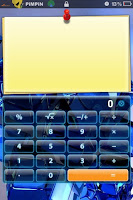
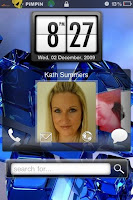
a) mediaphone contacts
This displays your favourite contacts in a cover flow system and allows you to call, text, or e-mail them from your lock screen
b) mediaphone clocks
There are 2 or 3 different styles available, you can set them to 12 or 24 hour format
c) mediaphone search bar
This searches the web via google etc
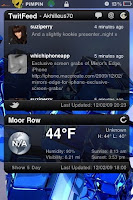
d) twitfeed
This is a paid widget, a serial needs to be entered in settings for it to work, to get serial go to ;
After purchase go to settings and enter ;
Serial number ( This will be sent to you via email ), and twitter username and password
e) weatherfeed
This is a paid widget, a serial needs to be entered in settings for it to work, to get serial go to ;
After purchase go to settings and enter ;
Serial number ( This will be sent to you via email ), and location details for your area
NOTE ;
If you dont know the correct codes for your area go to ;
Now ;
Enter your zip code
Click on the red rss symbol at the top right
Take note of the area code on the bottom line just before the date eg ; UKXX0450
f) mediaphone notes
Display and flick through any notes or reminders you have typed
g) mediaphone calculator
This is a fully functional calculator
h) mediaphone dev update
Informs you of any new dev team jailbreak updates
i) mediaphone quick launch
Lets you display icons for up to 12 of your favourite apps and access them directly from your lock screen
NOTE ;
Your springboard will need to respring after every widget is installed

5. Widgets can be moved around your lockscreen just like apps, press and hold until they wiggle, then drag and drop them into desired position

6. Slide to unlock can also be hidden via settings, to bring back into view, just slide finger up from bottom of screen

Thats it, I hope this helped and made things a little easier for any beginners out there!
Please let me know how you get on and what your thoughts are on SmartScreen!

UPDATE ;
In testing I found qTweeter conflicts with Smartscreen, the keyboard was not popping up in some widgets like Twitfeed and Search Bar, if you find this happens to you, just un-install qTweeter for now, I have been informed by the Smartscreen devs they are currently working on a fix for this problem and it should be sorted in a future update!

Up to now I have had very quick responses from both the Smartscreen devs and the Widget devs, customer service seems very good, another reason to try this for yourselves!

I'd Have To Rate This 10/10 !!!!!!!!!!!

Tuesday, 24 November 2009

Review, & How To Install Multifl0w


We've all seen the adds for the Palm Pre and HTC handsets boasting about the ability to multi-task apps, why on earth didn't Apple include this feature on iPhone? Whatever the reason, lets hope they change this in a future OS upgrade.

In the meantime, Multifl0w has now been released in both Cydia and Rock to the jailbreaking community. This app is a heaven sent gift for anybody wanting the benefits muti-tasking brings to iPhone, and unfortunately for Apple, gives users yet another reason to go ahead and jailbreak their devices.

I installed this app yesterday and paid for it via Rock, it also needs another app running side by side with it to work called Backgrounder.

Multifl0w basically allows you to have multiple apps running at the same time, the ones your not using just stay open and run in the background. To view or change running apps simply double click the home button. This will bring up a cover flow like system, displaying thumbnails of all running apps, swipe left or right to view, touch a thumbnail to open the app.

Watch this video clip to give you the general picture ;

So far this seems to run very smoothly and I for one will be keeping it on my iPhone for the time being. However a couple of pointers worth mentioning ;
a) When running more than 2 or 3 apps it uses a lot of system ram
b) This will probably not work as well on anything other than a 3GS, because the ram and speed of the other devices just might not cope with it
c) Dont leave apps running for long periods of time that your just not using, this will free ram
d) Dont leave apps like Cydia or Rock etc running too long as these can drain your battery

If you want to give this a try and judge for yourselves, then download free trial from Rock, and purchase after 10 days if you like, or follow the instructions below ;

1. Open Cydia and select ;
Manage / Sources / Edit / Add / Type in and install ;
http://repo.beyouriphone.com/

2. Now select ;
Search / Type in and install ( In this order ) ;
backgrounder
multifl0w

3. Respring your device

4. Open backgrounder app via icon on springboard and adjust settings to suit yourself
eg. Badges / Toggle controls / App specific

5. To run an application in the background ;
a) Open app
b) Press and hold home button untill "background enabled" message is displayed
NOTE ;
Do this same procedure to switch off running apps until "background disabled" message is displayed

6. To open multifl0w ;
a) Double click home button from springboard
b) Swipe left or right to view running apps
c) Touch an app to open it

7. To go back to springboard ;
a) Double clich home button from within an app
b) Swipe left to view
c) Touch springboard thumbnail to open it

Thats it, enjoy, let me know any thoughts or oppinions you may have on this app.

Overall so far, i'd rate this app 8/10.

PLEASE REMEMBER TO PURCHASE APPS IF YOUR KEEPING THEM, AS THIS SHOWS SUPPORT TO DEVELOPERS AND KEEPS THEM PRODUCING GREAT APPS LIKE THESE!

Sunday, 22 November 2009

Speed Up Cydia By Installing NoCyfresh SBToggle

Are you getting tired of opening Cydia only to find it seems to take an age to load and refresh ?


Well a new tweak called noCyfresh may be the answer to your prayers. It is an SBSettings toggle that enables you to switch on or off the Cydia refresh feature. When switched off it speeds up Cydia ten fold, lets be honest, you dont need a refresh every time you open Cydia. If you open Cydia and decide you want it to update and refresh, this can still be done manually in the Changes section.


Hopefully, Saurik will address this problem in future anyway, because Cydia is still king, but in the meantime, this is another winner for the jailbreak community.

noCyfresh is available as a free download in Cydia via the iSpazio repo.

UPDATE ;
I have installed and tried this myself, my phone is an iPhone 3GS 32GB, running 3.1.2 firmware, and jailbroken with blackra1n, everything runs great and im very happy with it, but I just cant seem to get noCyFresh to work, I've toggled both on and off and nothing seems to make any difference, if your having similar problems or find its working perfectly well for you, I'd love to hear any comments or suggestions you may have for our readers.

QuickWidgets-A Free SmartScreen Alternative


With Smartscreen only just released, there is already another free contender in the running, it is called Quickwidgets, though is still in beta format.

Quickwidgets has the same idea in mind, offering various widgets for your lockscreen which you can manage, move, and customise to suit your own needs.

One nice feature, is the ability to move widgets quickly simply by shaking your device, you can also resize widgets, something that Smartscreen doesn't offer as of yet.

So if you don't want to fork out for Smartscreen just yet, then follow these instructions and give Quickwidgets a try ;

1. Open Cydia and select ;
Manage / Sources / Edit / Add / Type in and install ;
http://isoftru/beta/

2. Now browse through the new repo and install

NOTE ;
Please remember this is still a beta, so it may be buggy or laggy, you may at worst need to restore your device!

Please let me know if you give this a try, im interested to see what you all think of it.

SmartScreen Released For iPhone

I posted a blog a few weeks ago on an app I was waiting eagerly for called SmartScreen. Well I'm glad to let you all know its now been released and is available for download via Cydia.

If you haven't heard a lot about this app then watch this short video ;


There are 2 versions available, the free "Lite" version, which limits you to only 3 widgets, and the paid "Full" version which allows you to use as many widgets as you want, the price is approx $5.

To install follow these instructions ;

1. Open Cydia and select ;
Manage / Sources / Edit / Add / Type in and install ;
http://apt.media-phone.ch

2. Now select ;
Search / Type in and install ;
smartscreen
( Full or Lite version )

3. To install widgets, ( as none are included =( ), just browse the mediaphone repo in Cydia

Thats it, enjoy!
Let me know what you think of it and how it runs as I haven't tried this myself. I've heard some of the widgets take a bit of editing eg. weather / clock etc, again if you find this to be true please let me know how you got on!
Powered By Blogger